Claude Code Agent Team
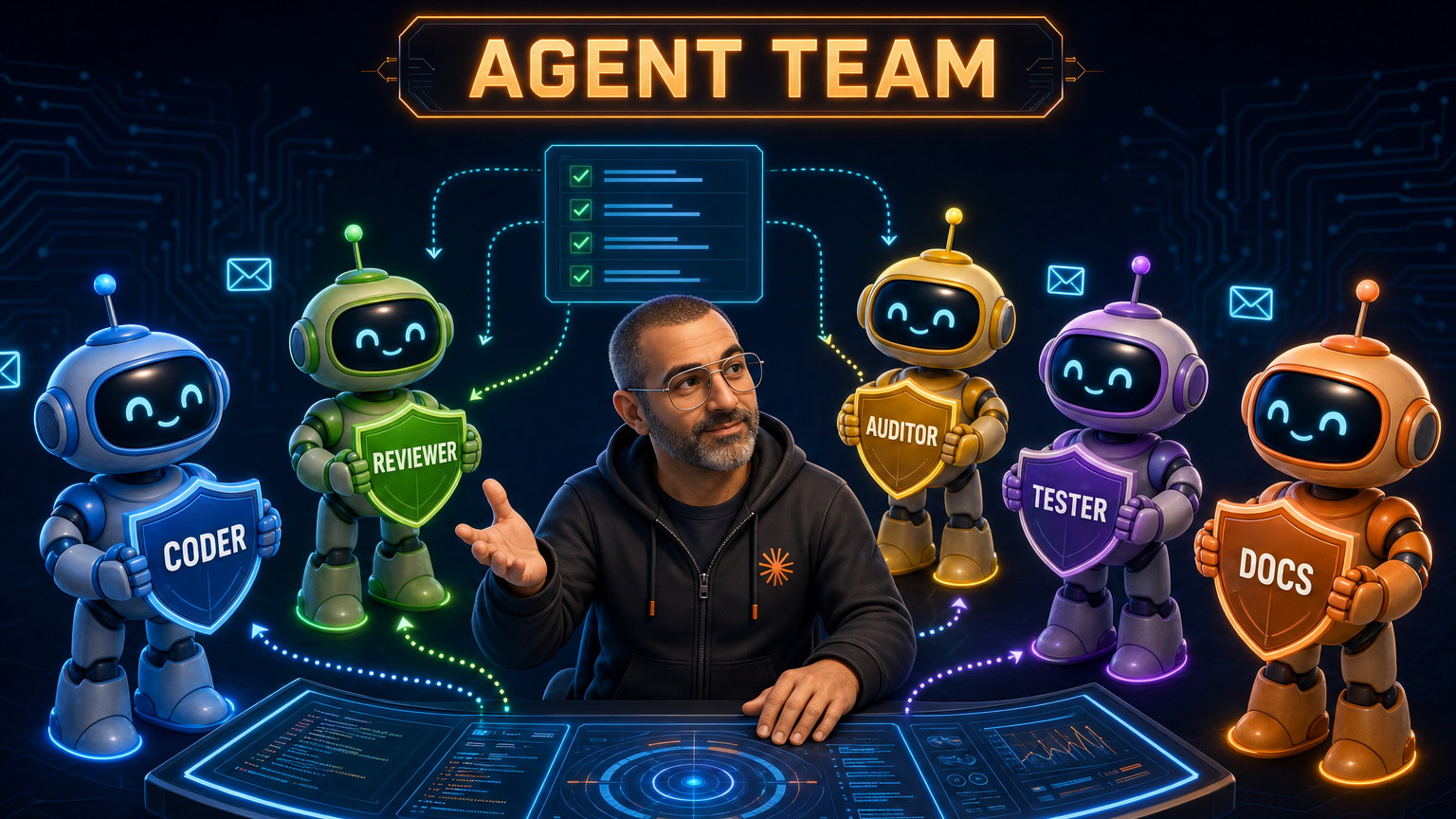
/agent-team skill I wrote on top of Claude Code’s native subagent APIs: it probes the current repo, writes the matching .claude/agents/*.md role files plus an .claude/agent-team.md workflow doc, and drives the orchestrator flow at runtime. The shape of that skill was inspired by Viktor Farcic’s dot-agent-deck, a TUI that both displays multiple agent sessions in parallel AND defines the team that runs in them. I have given Agent Deck a spin and plan to make it my daily runner once I invest the time to set it up properly. What it gives me: sandboxed agents, locked-down permissions, and a VM that keeps working after I close the laptop.What “agent team” actually means in Claude Code
Out of the box, Claude Code is a single conversation thread. The Agent tool delegates to a subagent in the same session and reports back, which is fine for one-off lookups but doesn’t scale. I want a coder that owns implementation, a reviewer that reads diffs, and an auditor that hunts security regressions running in parallel with their own context windows and mailboxes.
Claude Code’s agent teams deliver that: each teammate runs in its own pane with its own context budget, sends messages via SendMessage, and claims tasks from a shared list created by TaskCreate. The orchestrator (me, or a “team lead” agent) spawns roles, routes findings between them, and tears the team down when the work is done.
The feature is experimental and disabled by default, so the first step is opt-in.
Enabling teams
Two settings:
- Environment flag. Set
CLAUDE_CODE_EXPERIMENTAL_AGENT_TEAMS=1in your shell or in~/.claude/settings.jsonunderenv. Without this,TeamCreateand the team-aware spawn flags are not available. - Claude Code v2.1.32 or later. Check with
claude --version. Anything earlier and the deferred tools (TeamCreate,SendMessage,TaskUpdate, etc.) are not registered.
Once the flag is on, spawning a team is TeamCreate followed by parallel Agent calls in a single response (one call per teammate, same team_name, distinct names). The teammates appear as new panes, route messages to the lead’s inbox automatically, and idle between turns.
Split-pane mode is the rendering backend that gives each teammate its own pane. The official docs name two supported options: tmux directly (any terminal), and iTerm2 with the it2 CLI. I am not using tmux directly. My setup runs cmux, a desktop terminal-multiplexer app that bundles Ghostty and handles the multi-pane choreography for me; the screenshot below comes from a cmux session. Pick whichever fits your terminal habits; the agent-teams feature itself is backend-agnostic above the rendering layer.
Official docs are short and worth reading once: code.claude.com/docs/en/agent-teams.
Viktor’s dot-agent-deck
Viktor Farcic ships dot-agent-deck (brew tap vfarcic/tap && brew install dot-agent-deck). Two things in one binary:
- A terminal dashboard for monitoring and controlling multiple AI coding agent sessions in parallel. Single binary with embedded panes (no external multiplexer required), vim-style keyboard navigation, real-time status per session (active tool, working dir, last prompt), and focus-mode side panes that pair an agent with live test runs, log tails, or
kubectlwatches via per-project TOML config. - A way to define the team the dashboard runs: pick roles, hand each one its scope, and Agent Deck launches and supervises them. Works with both Claude Code and OpenCode.
I have taken Agent Deck for a spin, liked the direction, and am following the project as it matures. The things pulling me toward making it my daily runner, once I sit down to set it up properly:
- Sandboxing. Each agent runs in an isolated environment so a misbehaving teammate cannot trash files on my laptop. Once five agents are actually writing code in parallel, this stops being a “nice to have” and starts being load-bearing.
- Laptop-closed operation. Move the team off the local machine to a VM that keeps working after I close the lid. No more “I can’t shut my laptop while the team is running.”
- Permission discipline. Give each agent only the access it needs, instead of inheriting whatever my local Claude Code session has.
- Multi-client and velocity. Claude Code AND OpenCode out of the box, plus Viktor ships fast: new layouts, focus-mode integrations, and team-definition improvements land regularly. I know roughly where the roadmap is heading from chatting with him about it.
It is not yet the thing I reach for every day, but the blocker is on my side, not the project’s: setting it up properly (sandbox, permissions, VM) takes time, and I have not invested that time yet. I expect to make Agent Deck my daily runner once I do.
This is the project that nudged me to think about teams of agents as a first-class workflow. The native skill below is my own riff on the same idea, built on Claude Code’s subagent APIs in a way I could use today.
My /agent-team skill (inspired by Viktor’s project)
The skill has three modes, selected by the first argument:
/agent-team init: probe the repo, pick roles, write the agent files and the workflow doc./agent-team update: re-probe and diff against existing agent files, apply targeted changes./agent-team <task description>: read the workflow doc,TeamCreate, spawn the right teammates, drive the workflow, stop at user gates.
A real run looks like this:
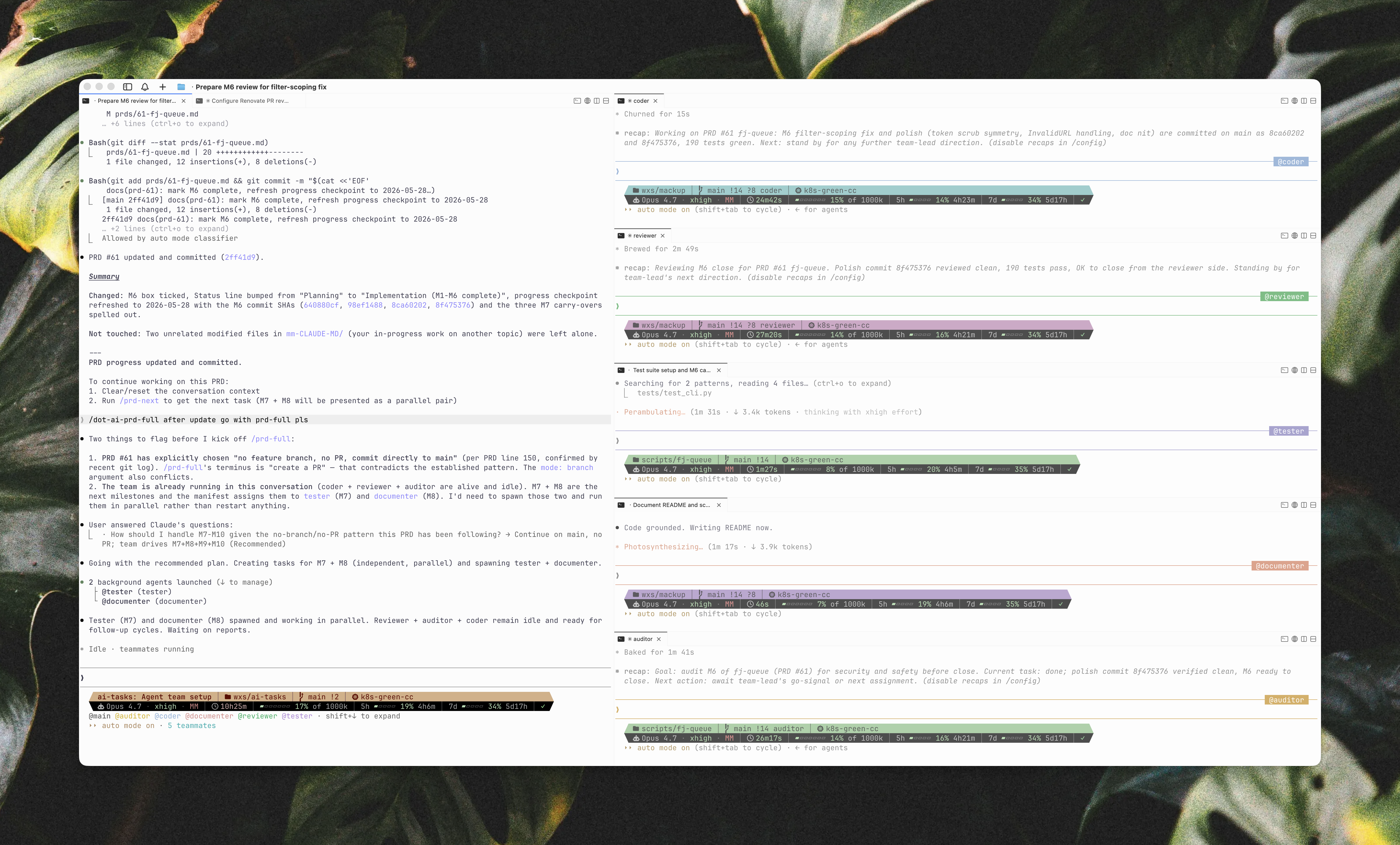
The left pane is the orchestrator session, and the five smaller panes on the right are coder (blue), reviewer (green), auditor (yellow), tester (purple), and documenter (orange). Each is a full Claude Code session with its own context window and mailbox; they coordinate via TaskUpdate and SendMessage.
Terse version (always-on description)
This is the single-line description: field from the skill’s frontmatter. It is the only thing that loads into context on every Claude Code session until the skill triggers:
Auto-generate and run a per-repo Claude Code agent team. Probes the current
repo (build/CI/env manifests, agent launchers, slash commands, spec dirs)
and writes .claude/agents/{role}.md subagent definitions for the relevant
roles from a library (coder, reviewer, auditor, tester, documenter,
release, researcher) plus a .claude/agent-team.md workflow doc. Use when
(1) /agent-team init to create the team for the current repo, (2)
/agent-team update to refresh after project shape changes, (3) /agent-team
{task} to run a task with the team (TeamCreate plus spawn plus drive
orchestrator flow plus stop at user gates). Triggers include
"/agent-team", "spin up a team", "auto-create agents", "agent team for
this repo", "team-on-task".
Full version (body, loaded on trigger)
The body is about 480 lines. It covers, in order: standing autonomy rules, pre-checks, the three modes in depth, the team manifest format, context handoff between cold-started teammates, context recycling for long-running roles, PRD-task transitions, and a list of gotchas I have walked into. Section list:
SKILL.md
├── What this skill does
├── Autonomy: spin up teams as you see fit
├── Required pre-checks
├── Mode 1: init
│   ├── Step 1: discover the repo
│   ├── Step 2: pick roles
│   ├── Step 3: tune prompt bodies
│   ├── Step 4: present a proposal
│   └── Step 5: write the files
├── Mode 2: update
├── Mode 3: run
│   ├── Step 1: precheck
│   ├── Step 2: TeamCreate + plan tasks
│   ├── Step 3: spawn teammates
│   ├── Step 4: drive the flow
│   ├── Step 5: cleanup (with pre-shutdown checks)
│   └── Step 6: run-mode hotfixes
├── Context recycling for long-running teammates
├── PRD-task transitions: fresh team per task
├── Role library reference
└── Gotchas
The two sections that took the most iteration are Step 5 cleanup and Context recycling. They both come back to the same lesson: do not blindly send shutdown_request. Check task ownership, inspect the teammate’s tmux pane for the running indicator, and ask the teammate for its cleanest stopping point if it might be mid-work.
A representative excerpt from the cleanup section:
Pre-shutdown checks (mandatory before SendMessage shutdown_request)

1. Task-ownership check: Run TaskList. If the teammate owns any task in
   in_progress status, they may be mid-work. Investigate before shutting
   down.

2. Pane-activity check: Capture the teammate's tmux pane and look for the
   running indicator:

   PANE_ID=$(jq -r '.members[] | select(.name=="<teammate>") | .tmuxPaneId' \
     ~/.claude/teams/<team>/config.json)
   tmux capture-pane -p -t "$PANE_ID" 2>/dev/null | tail -30

   Interpret the output:
   - "Nucleating..." or "Cooked for Ns": actively processing.
   - Idle prompt with no spinner: ready for shutdown.
   - Mid-shell-command output without a returned prompt: a Bash invocation
     is in flight; wait for it to finish.

3. Scrollback inspection: capture with -S -50 for more context. Look for
   recent edits, uncommitted local state, in-flight git pull/rebase, or
   tool calls without rendered results.
Get the skill
Two files, no other supporting assets:
- SKILL.md: the frontmatter description (always-on trigger) and the body that loads on invocation.
- roles.yaml: the role library that Mode 1 (init) reads to compose the team.
Drop both into ~/.claude/commands/agent-team/ (or any directory name you prefer; the name: field in the frontmatter is authoritative for Claude Code’s discovery). Then /agent-team init in any repo to set up its team.
These are the source-of-truth files. Do whatever you want with them; if you find a sharp edge, ping me on LinkedIn and I’ll fold the fix back into the source.
Links
- Official Claude Code agent teams docs: code.claude.com/docs/en/agent-teams
- Viktor Farcic’s
dot-agent-deck: github.com/vfarcic/dot-agent-deck - Anthropic’s upstream Claude Code repo (issues, releases): github.com/anthropics/claude-code
- Related post on this site: dot-ai MCP Server (Viktor’s Kubernetes-focused MCP that I use in parallel)
- Related post on this site: Commands vs MCP vs Skills (mental model for where skills fit)