hai
The KubeCon Power Outage
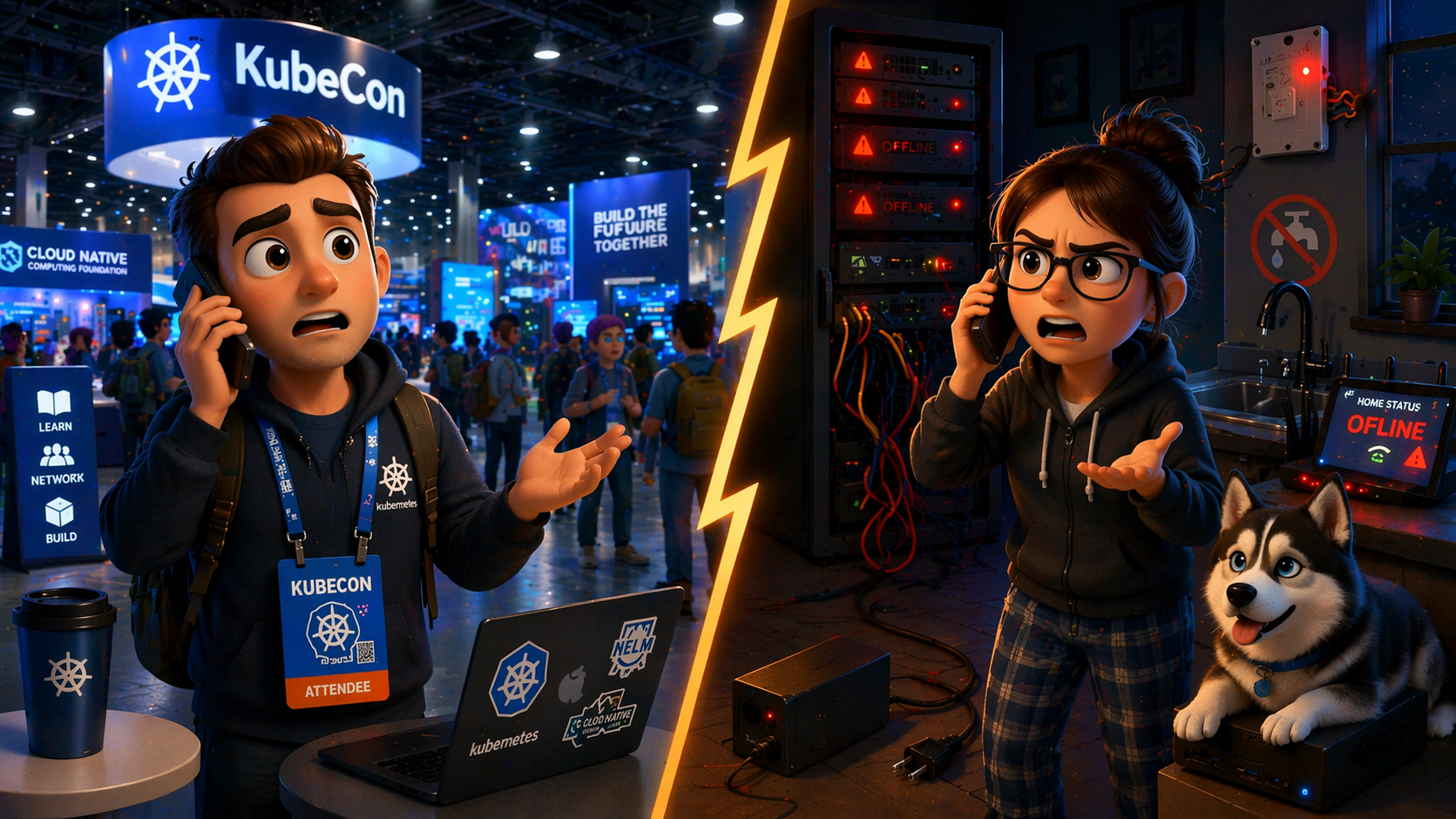
The Setup
March 2026. I’m packing my bags for KubeCon Amsterdam with a knot in my stomach. The homelab had been through power outages before, and getting everything back up was never quick or clean. Three Proxmox nodes, 90+ apps in Kubernetes, smart home controlling a lot of stuff around the house, including the water system. A power outage while I’m away would be a nightmare. I keep telling myself it won’t happen this time. I’ve got redundancy in place now. It’ll be fine… right? Fingers crossed.
It happened again.
With great automation comes great… headache. 🤦🏻
The Incident
While I was at the conference, the power went out at home. Not unusual, it happens. But this time, the outage lasted longer than the UPS could handle. The Proxmox boxes went down, and when the electricity came back, they didn’t recover on their own. They stayed down.
That single event revealed just how many single points of failure I actually had:
- Proxmox stays down - The UPS ran out before power returned, and once the nodes went down, they didn’t come back up on their own
- Kubernetes is gone - No Proxmox, no VMs, no K8s cluster
- Home Assistant is gone - Runs on a VM on Proxmox, so it went down with everything else
- DNS is gone - The primary AdGuard Home runs on a VM on Proxmox, so it went down too. The backup on the Synology NAS was technically running, but it had been unreliable, crashing under I/O load
- WiFi stops working - During the outage, the APs had no power so WiFi was completely gone. After power returned, the APs came back up, but without DNS nothing could resolve. Devices connected but couldn’t reach anything
- Water stops flowing - The water system runs through smart relay switches (Zigbee, controlled via Home Assistant). These relays don’t have a “power outage recovery” setting, so when power returned, they defaulted to OFF. Worse, they don’t have physical buttons either, so the only way to turn them back on was through Home Assistant, which was down
The Phone Call
My wife called. No WiFi, no water. She tried to help but:
- She didn’t know which device was the UPS, which was the charger, and which was the mini PC. Nothing was labeled. Trying to guide her over the phone felt like we were speaking different languages
- The mobile hotspot wasn’t working either (ISP issue on their end, not something I could’ve prevented)
- Without internet she couldn’t work remotely, so she had to leave for the office
After returning from the office, she improvised: ran an electrical cable down to the basement and bypassed the smart home system entirely to get the water pump running directly. Creative, effective, but not something anyone should have to do.
The Root Causes
Looking at this honestly, the failures weren’t random. They were predictable:
| Root Cause | Impact |
|---|---|
| Relay switches without physical buttons | No manual override when HA is down |
| Zigbee coordinator not on UPS | HA can’t control smart devices during outages |
| Single effective DNS (Proxmox AdGuard) | Synology backup was unreliable under load |
| Existing UPS runtime too short | Nodes went down before power returned, and didn’t recover on their own |
| APs not on UPS | WiFi died immediately with power |
| Nothing labeled | Wife couldn’t identify or troubleshoot devices |
| No fallback WiFi SSID | ISP router WiFi wasn’t configured as backup |
What I Changed
I didn’t fix everything at once. After returning from KubeCon, I worked through these improvements over the following weeks, picking off the most impactful ones first.
1. Relay Switches with Physical Buttons
Replaced the old relays with Nous D2Z (20A, Zigbee) switches. These have actual physical buttons, so even when Home Assistant is down, someone can go down to the basement and press a button to turn things on. Smart home automation should enhance manual control, not replace it entirely.
2. Labeled Everything
Every device in the tech room and around the house now has a label: UPS, mini PC, router, switch, NAS. If I’m not home, anyone should be able to identify what’s what.
3. Zigbee Coordinator on UPS
The Sonoff Dongle Max (Zigbee coordinator) was plugged into a regular power strip. With the bigger UPS now keeping Proxmox and Home Assistant alive during outages, the Zigbee coordinator needs to stay alive too, otherwise HA has no way to talk to the smart devices. Moved it to the UPS.
4. Bigger UPS for the Proxmox Nodes
The existing UPS simply didn’t have enough runtime. The outage outlasted it, the nodes went down hard, and they didn’t recover. Added a larger UPS (similar to the Anker SOLIX F2000) in front of the existing UPS to extend the total runtime. This serves two purposes:
- Enough runway for longer outages so the nodes never go down at all
- Graceful shutdown during extended outages (via NUT integration) if even the combined UPS capacity isn’t enough
5. Dedicated DNS on Raspberry Pi
I already had two AdGuard Home instances for redundancy: one on a Proxmox VM, one on the Synology NAS. The problem was that the Synology instance kept crashing under I/O load, making it unreliable as a backup.
Replaced the Synology instance with a dedicated Raspberry Pi running AdGuard Home. It’s lightweight, stable, and independent of both Proxmox and the NAS. True DNS redundancy now. Hopefully.
6. ISP Fallback WiFi
Configured the ISP router’s built-in WiFi with a known SSID and password. The WiFi access points aren’t on the UPS (and probably won’t be, to keep the UPS runtime longer for critical gear), so when internal infrastructure goes down, there’s no WiFi through the APs. But since the ISP router is on the UPS, this fallback SSID works even during a power outage. It bypasses all internal DNS and routing, but at least you get internet access.
Still on the TODO List
Proxmox auto-recovery. The bigger UPS buys more time, but if the nodes do go down again, they still won’t come back up on their own. I still have to figure out why and fix it.
Lessons Learned
- Smart home should degrade gracefully. Every automated system needs a manual fallback. If your smart switches can’t be operated without software, they’re a liability during outages
- Redundancy only counts if it actually works. Having two DNS servers meant nothing when the backup was unreliable. Test your failovers
- Label your stuff. If someone else needs to troubleshoot your infrastructure, they shouldn’t need a diagram to figure out which box is which
- Design for the “I’m not home” scenario. The homelab should survive without you. If it can’t, it’s a hobby project, not infrastructure
- The ISP router is your last resort, configure it as one. A working WiFi SSID on the ISP router costs nothing and can save a lot of frustration
- Write it down while it’s fresh. I took notes at KubeCon between sessions, jotting down everything that failed and ideas for mitigation while the details were still sharp. A week later, you’ll forget half of it
- You don’t have to fix everything at once. Each time something breaks, pick a few improvements and make them. Small, steady progress beats a massive overhaul you’ll never get around to