Radar - A Kubernetes UI I Actually Like
I’m not a UI person when it comes to Kubernetes. I live in the terminal — kubectl and a pile of aliases get me where I need to go.
But Radar caught my eye.
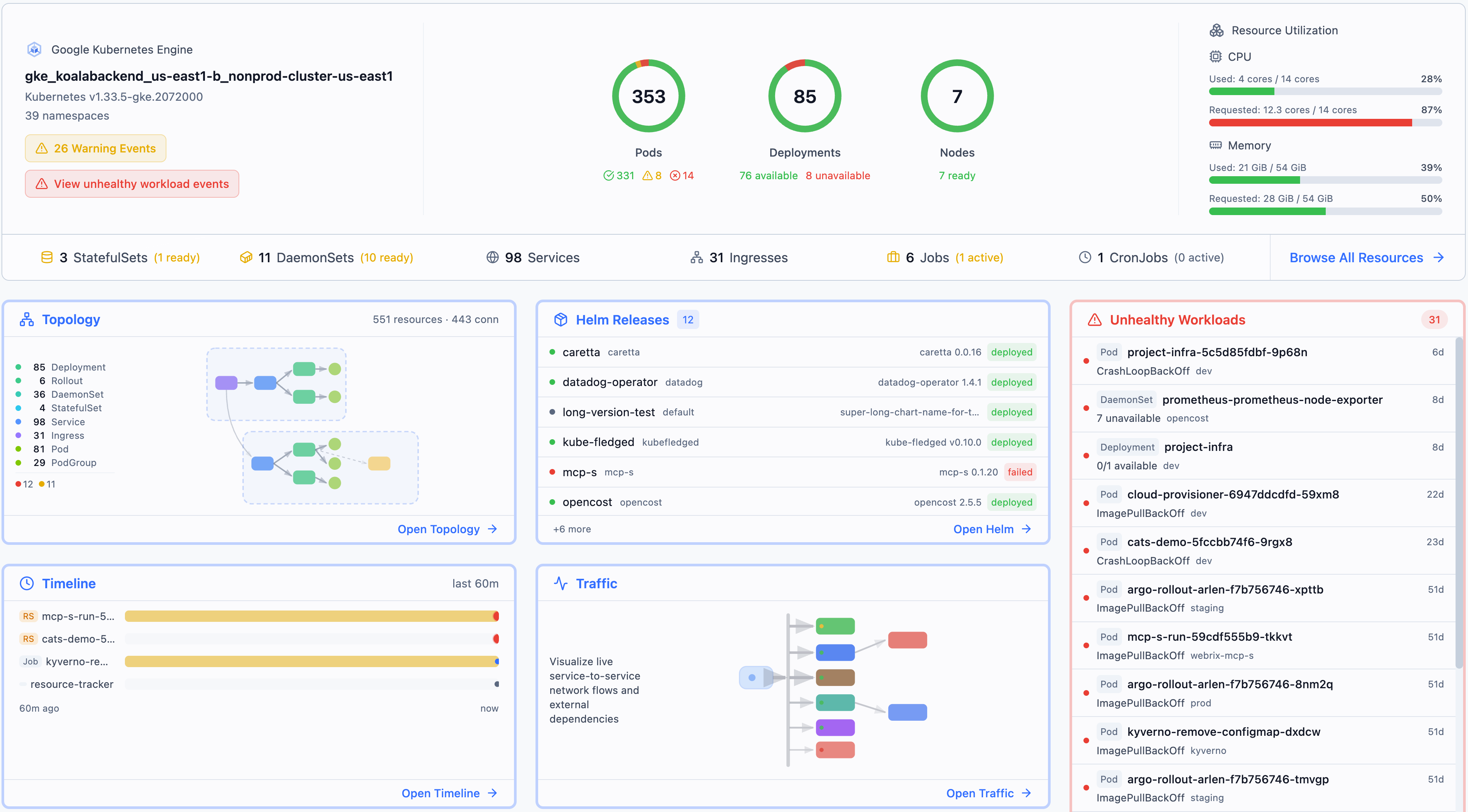
What Is It
Radar is a local-first Kubernetes visualization tool. Single binary, no cluster-side installation, no dependencies. You start it on your laptop, it connects to your kubeconfig, and you get an interactive view of your cluster — topology maps, real-time events, resource browsing, Helm release management, and even FluxCD/ArgoCD monitoring.
What I Like About It
It uses all your kubeconfig contexts. If you manage multiple clusters (and who doesn’t), you can switch between them directly in Radar. No reconfiguring, no separate instances — it just reads your existing contexts.
It runs locally. No Helm chart to deploy, no RBAC to configure, no pods eating cluster resources. Start the binary, open localhost:9280, done.
It’s available as a krew plugin. If you already use krew to manage kubectl plugins, installing Radar is just:
kubectl krew install radar
kubectl radar
Or install directly via Homebrew:
brew install skyhook-io/tap/radar
radar
It understands GitOps. Radar natively surfaces FluxCD Kustomizations and HelmReleases, plus ArgoCD Applications.
It works offline. No cloud dependencies, no external network calls. Works fine in airgapped environments.
How I Use It
I run Radar on demand from my laptop when I want a visual overview — debugging resource relationships, checking topology after a change, or just getting a quick feel for cluster state.
I don’t recommend running Radar directly on the cluster. It queries the Kubernetes API heavily — watching resources, streaming events, fetching relationships. That’s fine when it’s your laptop talking to the API server over a single session. It’s less fine as a persistent workload generating continuous load on the API server, especially in smaller clusters or homelabs where the control plane isn’t beefy.
Start it locally, use it when you need it, close it when you’re done.
The Takeaway
If you’re like me and have dismissed most Kubernetes UIs as unnecessary overhead, give Radar a look. It stays out of the way, doesn’t require cluster changes, and the topology visualization is genuinely helpful for understanding how resources connect — something that’s hard to get from kubectl get output alone.